
Import A Product From Ali Express
Step-by-step guide on how to import any product directly from Ali Express and start
your dropshipping business
Step 1 Find Your Products
Start off by searching a product you wish to sell. For this, you will need to head on over to Ali Express

Once you have your product, you want to take a note of the ID in the search bar. Here you will find the Product ID. This is all the characters except the .html extension. Keep a note of this number as it will be important when importing a product over from Ali Express.

Step 2 Search Your Products
Right now you should have your list of products and their IDs that you wish to import. Once you are ready, navigate to the Shoppy Monkey Products Page and click the Import button.

You are now on the Product Import Page, here you will have various options on how can import products. For now, we are only concerned with the Ali Express dropshipping integration.

Scroll down and choose Ali Express from the dropdown menu.

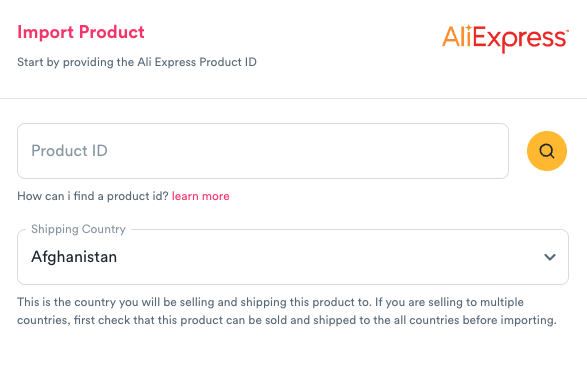
Click the Find Product button which will open up a pop up screen. Paste your Product ID into the search bar and choose the country you wish to sell your product.
It's okay if you are planning to sell in more than one location, just be sure that you have configured your available countries accordingly and that you have checked all products can be shipped to those locations.
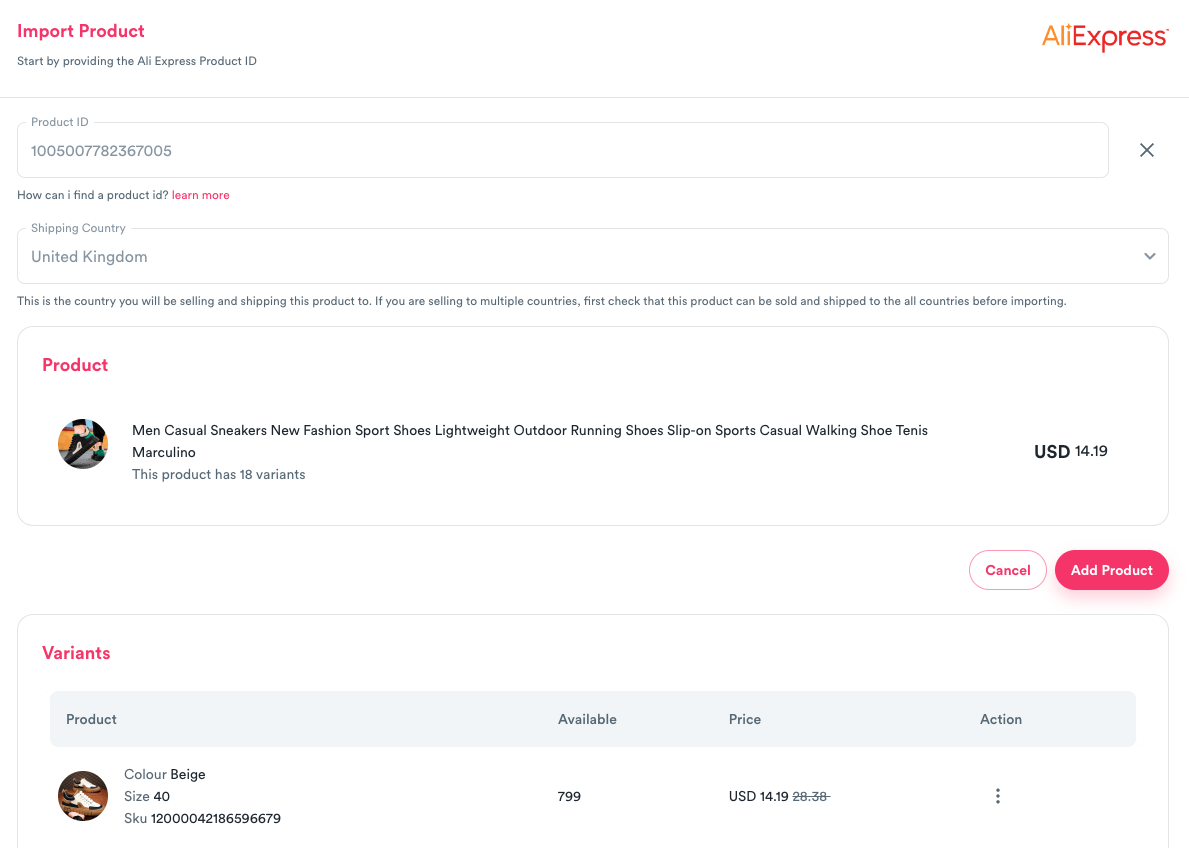
As soon as you search your product, you will be presented with your product from Ali Express and all it's variants. Edit the variants and it's properties then finish by clicking Add Product.
Step 3 Import All Products
Repeat Step 2 as many times as you need and you should be left with a list of products ready to be added to your store. Once you've confirmed all looks correct, click Import.
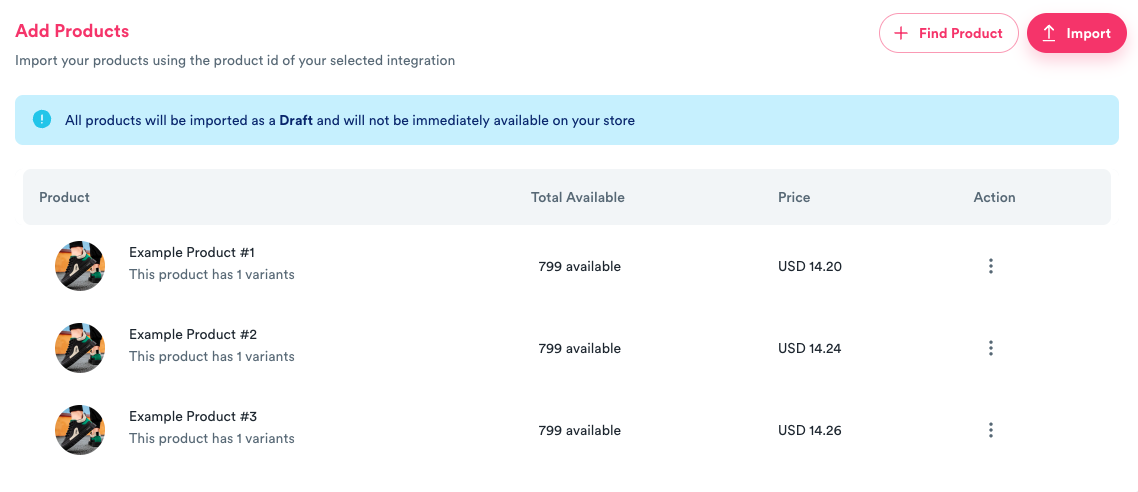
Finally, you will be navigated to the Products List Page that will show your newly imported products from Ali Express.

Shoppy Monkey
Resources
Support